01
Terminal punch
Capture branch punches from a device surface that belongs to the product, not a side admin.
Attendance
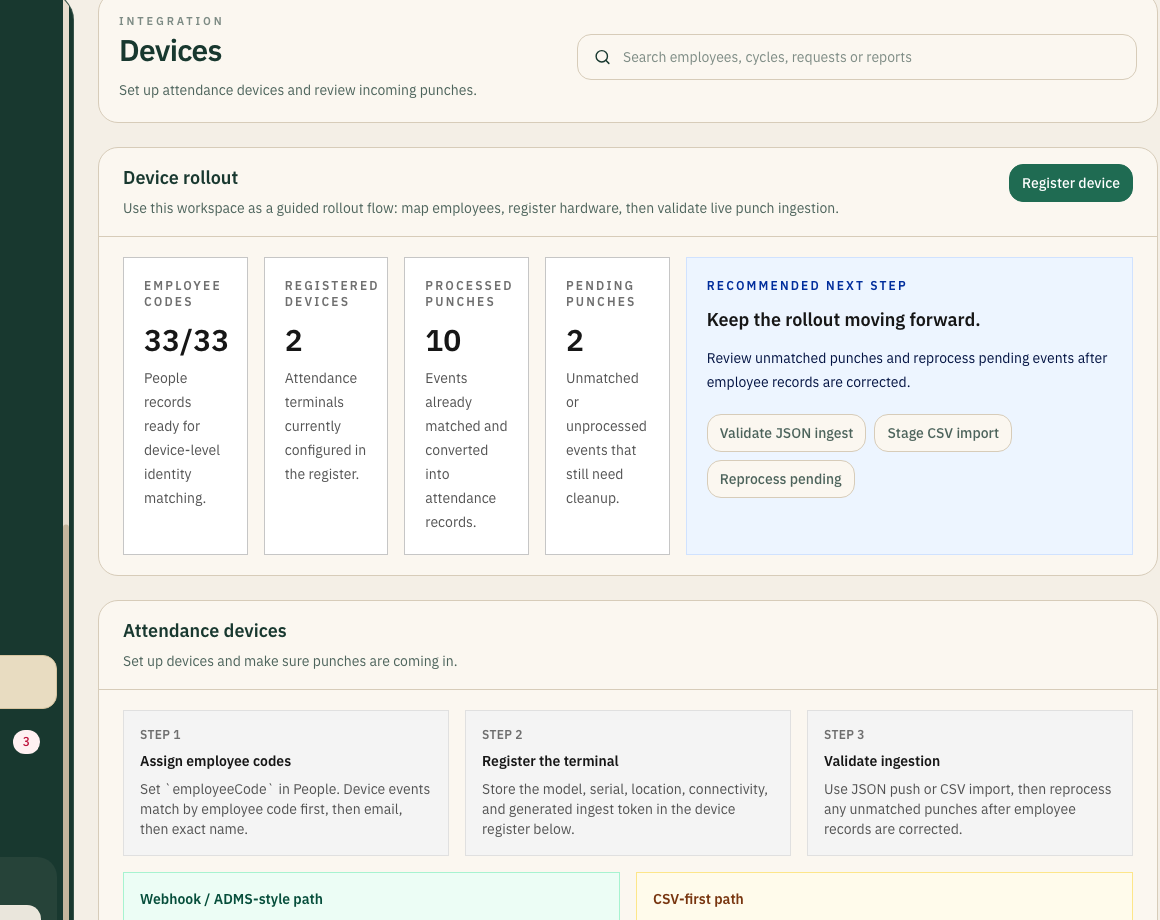
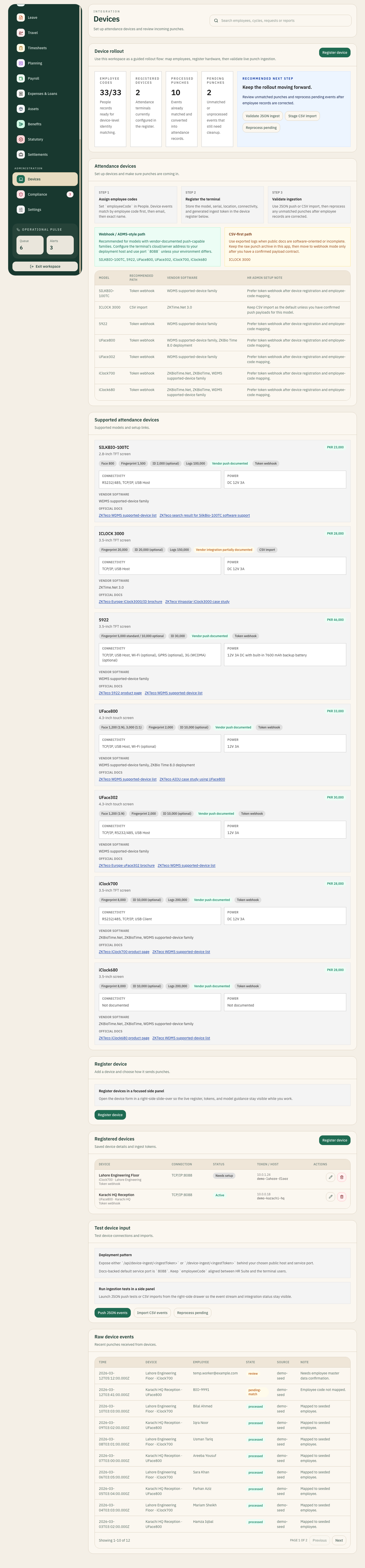
This page is for the attendance part of the product: the terminal itself, the validation layer, and the clean checked-in state that payroll and operations depend on.
10
Attendance events synced in demo
1
Shared attendance path
01
Capture branch punches from a device surface that belongs to the product, not a side admin.
02
Check employee-code mapping, unmatched events, and integrity before payroll feels the damage.
03
Give operators a clean attendance output they can actually trust.
Attendance walkthrough
Use this page when the buying conversation is specifically about terminals, punch validation, code mapping, and whether the product keeps attendance operational before payroll week.
Terminal control
Scroll story stage


Terminal control
10
Events flowing in demo
0
Hidden attendance layers
01 / Terminal control
Attendance fails when the terminal lives outside the core product. NxtGenSoftware keeps registration, rollout state, and punch context inside the same system.
Terminal
02 / Validation processor
Unmatched punches, missing codes, and bad branch mapping are visible as operating work instead of surprises discovered at cut-off.
Validation
03 / Checked-in output
The end state is a checked-in view payroll and operations can use without rebuilding what happened from exports and side messages.
Checked in
What improves
Signal
The terminal is shown as a physical device surface because attendance is operational work tied to hardware and rollout reality.
Signal
The device event, the validation pass, and the final checked-in state are part of one system path.
Signal
Attendance gets easier when rollout, mapping, and exception ownership stay visible in the same place.